
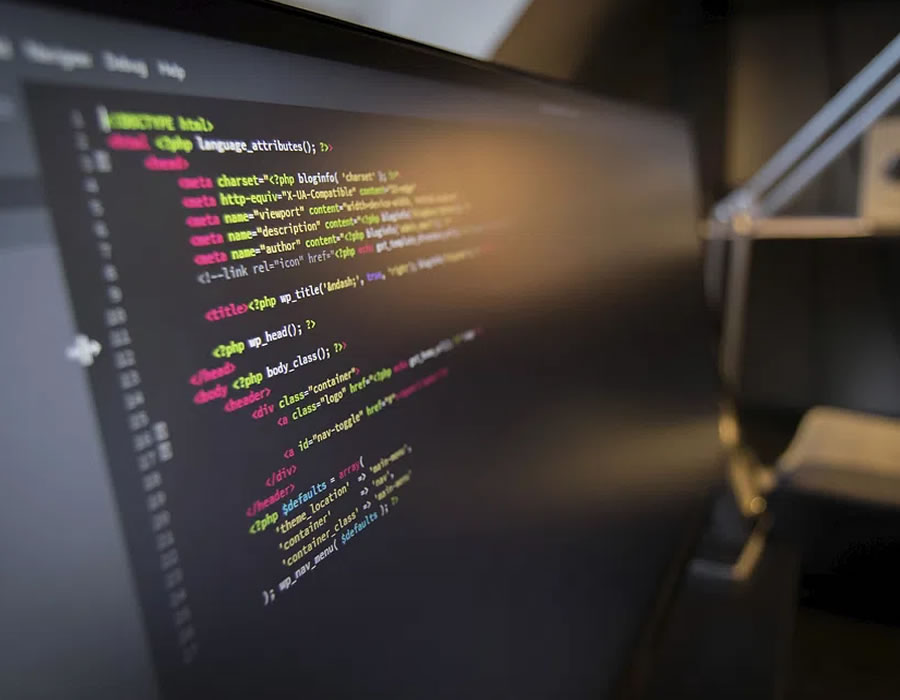
Dark mode is a transformative trend in web design, driving a new era of user experience and aesthetics. In this guide on web design trends and best practices, we explore the rise of dark mode, revealing key insights into this captivating design shift.
Dark mode offers a range of advantages, including reduced eye strain, extended battery life for mobile devices, and a sleek modern aesthetic. These benefits align with web design trends and best practices, enhancing the user experience and site appeal.
Prioritizing user experience in dark mode implementation is essential. Accessibility and readability are paramount, allowing users to adapt to their preferences. Tailoring content presentation for dark and light themes enhances the user experience.
Implementing dark mode involves thoughtful design, compatibility across devices and browsers, and user-initiated or automatic options. These elements are central to web design trends and best practices.
Choosing color schemes that balance contrast while maintaining readability is a best practice in dark mode design. Dark grays, deep blues, and rich purples serve as background canvas, and high-contrast text enhances legibility and engagement.
Table of Contents
Benefits of Dark Mode

Improved User Comfort and Reduced Eye Strain:
Dark mode isn’t just a visual choice; it’s a well-being enhancement. Users often find themselves gazing at screens for hours on end, and this is where dark mode truly shines. Its subdued color scheme, featuring dark backgrounds and lighter text, reduces eye strain, making it a favored option, especially during nighttime browsing. The lowered blue light emissions in dark mode contribute to a more relaxed and comfortable reading experience. In the world of Web Design Trends and Best Practices, embracing dark mode aligns with the priority of enhancing user comfort and readability.
One of the primary factors driving the adoption of dark mode is its remarkable impact on battery life. For mobile devices, particularly those equipped with OLED or AMOLED screens, dark mode is a game-changer. By individually illuminating pixels in dark mode, these devices consume significantly less power, translating to extended battery life. This energy-efficient feature has earned dark mode a prominent place in the preferences of users who appreciate a longer-lasting battery during their on-the-go adventures. As web designers delve into the realm of Web Design Trends and Best Practices, energy conservation becomes a key consideration, and dark mode provides a meaningful solution.
Battery Life Efficiency and Energy Conservation:
Dark mode’s benefits extend beyond comfort and eye strain reduction. A key advantage is its significant contribution to energy conservation, which aligns seamlessly with modern digital life. Devices equipped with OLED or AMOLED screens gain the most from dark mode. In this mode, pixels are individually lit, and the reduction in power consumption is remarkable. As a result, users experience prolonged battery life on their mobile devices. This eco-friendly feature has made dark mode an essential consideration in web design, catering to the principles of Web Design Trends and Best Practices.
Energy-efficient practices have become pivotal in the digital age. Dark mode, with its power-saving capabilities, has answered this call by minimizing the energy consumption of devices. This not only extends battery life but also aligns with sustainable and environmentally conscious design practices. Users appreciate the efficiency of dark mode, and this preference has ushered in a shift towards energy-conscious design trends. In the context of Web Design Trends and Best Practices, dark mode epitomizes a sustainable approach that resonates with the modern user’s values.
Aesthetic Appeal and Modernity
Beyond its functional advantages, dark mode encapsulates a modern and sleek aesthetic that appeals to users across various digital platforms. Dark-themed interfaces often exude sophistication and style, making websites and applications appear cutting-edge and in vogue. This aesthetic allure is a significant contributor to the rise of dark mode and is a testament to its significance in the arena of Web Design Trends and Best Practices.
The adoption of dark mode isn’t solely driven by its practical benefits; it’s equally motivated by its aesthetic appeal. Dark-themed interfaces possess an inherent sense of modernity and style, capturing the attention and admiration of users. The visually pleasing experience of dark mode reinforces its status as a key design trend in the world of Web Design Trends and Best Practices, accentuating the significance of design choices in the digital landscape.
User Experience Considerations

Accessibility and Readability in Dark Mode
Dark mode is an innovative trend in web design, but it must prioritize accessibility and readability to ensure a positive user experience. This section explores the importance of maintaining accessibility in dark mode, adhering to the core principles of Web Design Trends and Best Practices. The contrast between text and background, as well as text legibility, must be carefully balanced to accommodate a diverse user base.
Accessibility in dark mode design is not a mere afterthought but a fundamental aspect of creating an inclusive digital environment. As part of Web Design Trends and Best Practices, designers should focus on enhancing the readability of content against dark backgrounds. By accommodating all users, dark mode can truly provide a comfortable and enjoyable browsing experience for a wide audience.
Adapting to User Preferences: Dark Mode Options
Users have varying preferences when it comes to dark mode. Some may prefer it always, while others may opt for light themes during the day. In this segment, we’ll delve into the significance of providing users with options to switch between dark and light modes. This aligns with the user-centric approach highlighted in Web Design Trends and Best Practices.
Adapting to user preferences is a key consideration in dark mode design. Web designers must offer options for users to choose their preferred mode, ensuring that the browsing experience is tailored to individual needs. This user-centric approach aligns perfectly with the core principles of Web Design Trends and Best Practices, making dark mode an essential feature for inclusive web design.
Content Presentation: Balancing Dark and Light Themes
Achieving a seamless user experience involves adeptly handling content presentation when transitioning between dark and light themes. In this section, we’ll explore the art of balancing content presentation to cater to both dark and light modes. By considering the type of content and its optimal presentation, designers can uphold user experience standards, which is a fundamental aspect of Web Design Trends and Best Practices.
The presentation of content is pivotal in ensuring a seamless and engaging user experience. Designers should thoughtfully segment content, aligning it with the most suitable mode, be it dark or light. This approach reflects the user-centric philosophy outlined in Web Design Trends and Best Practices, highlighting the importance of catering to user needs and preferences to enhance the overall browsing experience.
Implementing Dark Mode

Designing Dark Mode Interfaces: Best Practices
The successful implementation of dark mode requires more than just inverting colors. It demands a strategic approach to design, encompassing elements such as text color, background shades, and contrast. This is where designers have an opportunity to shine, aligning their work with the principles of Web Design Trends and Best Practices. Ensuring that dark mode maintains readability and consistency is a key objective in this chapter.
The design of dark mode interfaces is a multifaceted task, and it goes beyond simple color inversion. It requires a deliberate approach to elements like text color, background choices, and contrast. Maintaining readability and consistency in dark mode design is vital in upholding the quality standards established in Web Design Trends and Best Practices.
User-Initiated vs. Automatic Dark Mode
A key decision in implementing dark mode is choosing between user-initiated or automatic activation. Users vary in their preferences, and this section delves into the considerations for both approaches. User-initiated dark mode provides control to those who prefer manual switching, while automatic activation can enhance user experience by adapting to time of day or device settings. This choice reflects a user-centric approach that aligns with the principles of Web Design Trends and Best Practices.
The decision to opt for user-initiated or automatic dark mode activation is crucial in the implementation process. User-initiated dark mode provides control and customization options to those who prefer manual switching, aligning with the user-centric approach advocated in Web Design Trends and Best Practices. On the other hand, automatic activation simplifies the user experience by adapting to users’ preferences or time of day. Striking the right balance between these two options ensures that your design caters to a broad spectrum of user needs.
Ensuring Compatibility Across Devices and Browsers
The implementation of dark mode should extend seamlessly across various devices and browsers. This section explores the significance of ensuring compatibility, a practice deeply rooted in the principles of Web Design Trends and Best Practices. A responsive design approach ensures that dark mode functions optimally, providing a consistent and user-friendly experience regardless of the platform.
Compatibility is key to the success of dark mode implementation. It’s vital that dark mode functions consistently and effectively across a wide array of devices and browsers. Adopting responsive design principles that prioritize cross-platform compatibility is a fundamental aspect of ensuring a positive user experience, aligning with the core principles of Web Design Trends and Best Practices.
Color Schemes and Contrast in Dark Mode Design
Choosing Dark Mode Color Palettes
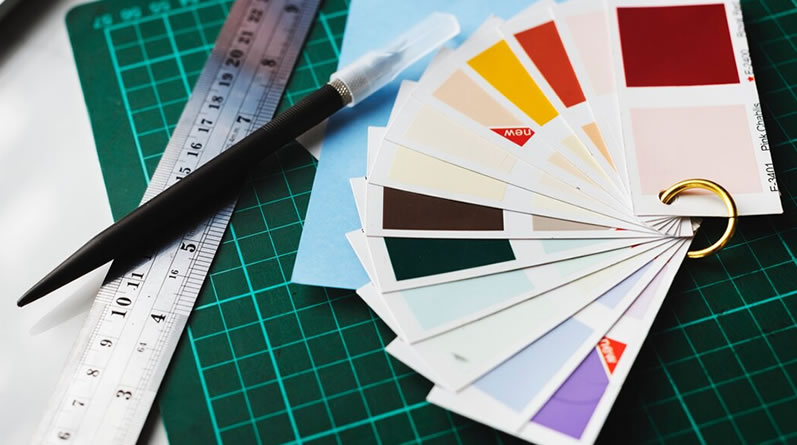
Selecting the right color scheme for dark mode design is a crucial consideration. This section explores the various color palettes that maintain readability and aesthetic appeal. Web designers should take inspiration from dark grays, deep blues, and rich purples, which often serve as effective background colors. This approach aligns seamlessly with the guidelines of Web Design Trends and Best Practices, which emphasize the importance of making informed color choices.
The choice of color schemes in dark mode design is a creative endeavor that should be informed by the principles of Web Design Trends and Best Practices. Designers must select palettes that offer a balanced combination of contrast, readability, and aesthetic appeal. Colors like dark grays, deep blues, and rich purples are often chosen as background hues in dark mode design. These choices contribute to a visually pleasing and functional design.
Striking the Right Balance of Contrast
Achieving the right balance of contrast is a pivotal aspect of dark mode design. This section delves into the importance of ensuring that text and elements stand out against dark backgrounds while maintaining an elegant and harmonious contrast. Striking this balance is in line with the best practices recommended by Web Design Trends and Best Practices, emphasizing readability and visual appeal.
Balance is key in dark mode design. Achieving the right level of contrast between text and dark backgrounds ensures readability without creating harsh, jarring visual elements. This approach aligns with the principles of Web Design Trends and Best Practices, emphasizing the importance of crafting a visually pleasing and user-friendly experience for all users.
Dark Mode Best Practices
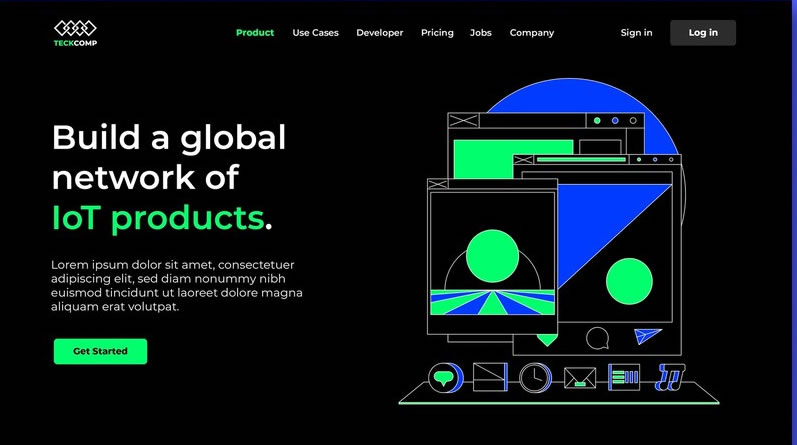
image from freepik
Consistency Across Pages: A Seamless User Experience
Consistency is the cornerstone of a seamless user experience in dark mode design. This section explores the significance of maintaining design coherence across all pages of your website. Consistency is a fundamental principle of Web Design Trends and Best Practices, ensuring that users encounter a unified and enjoyable experience.
Maintaining consistency is a crucial component of dark mode best practices. Users appreciate a seamless transition between pages, regardless of whether they are in dark or light mode. This approach aligns perfectly with the principles of Web Design Trends and Best Practices, emphasizing a unified and user-friendly experience across all aspects of your website.
Including a Dark Mode Toggle Switch
The inclusion of a dark mode toggle switch is a user-centric feature that enhances the overall user experience. This section delves into the importance of offering users the flexibility to switch between dark and light modes at their convenience. This user-centric approach aligns with the principles of Web Design Trends and Best Practices, emphasizing customization and user preferences.
Empowering users with a dark mode toggle switch is a key aspect of user-centric design. This feature offers users the flexibility to tailor their browsing experience to their preferences. By incorporating this customization option, you align with the principles of Web Design Trends and Best Practices, prioritizing the user’s ability to adapt their experience.
Enhancing User Experience with Transition Animations
Transition animations play a significant role in enhancing the user experience when switching between dark and light modes. In this section, we explore the value of incorporating subtle transition animations that provide a smooth and visually appealing mode switch. This approach aligns with the best practices endorsed in Web Design Trends and Best Practices, enhancing user engagement and aesthetics.
Transition animations are more than just eye candy; they contribute to a user-friendly experience when transitioning between modes. Subtle animations offer a smooth and visually pleasing effect, creating an engaging and elegant mode switch. These animations reflect the principles of Web Design Trends and Best Practices, which emphasize both functionality and aesthetics.
Conclusion: The Evolution of Web Design with Dark Mode
Dark Mode as a Pivotal Trend in Web Design
The emergence of dark mode represents a pivotal moment in web design. This section underlines the significance of dark mode as a prominent trend in the ever-evolving field of Web Design Trends and Best Practices. Its incorporation has not only improved user comfort and aesthetics but also aligned with the principles of sustainability and energy efficiency, making it a design trend to reckon with.
Dark mode isn’t just a fleeting trend; it’s a transformative shift in web design. Its adoption aligns with the principles of Web Design Trends and Best Practices, enhancing user experience and addressing the growing need for energy-efficient solutions. By embracing dark mode, designers can stay ahead in the rapidly evolving world of web design.
Embracing the Future: The Value of Dark Mode
As we conclude our exploration of dark mode’s rise in web design, it becomes clear that embracing this trend is synonymous with embracing the future. In a digital landscape that is constantly evolving, dark mode stands out as a design choice that significantly improves user experience while adhering to the principles of Web Design Trends and Best Practices. Its benefits in terms of user comfort, energy efficiency, and aesthetics position it as a valuable addition to the toolkit of web designers.
Dark mode is not merely a trend; it’s a forward-looking approach to web design. By adopting dark mode, designers can create user-friendly and visually appealing websites that resonate with modern users. Its energy-efficient qualities make it an eco-conscious choice in an age where sustainability is paramount. In embracing dark mode, designers are not only following current trends but also future-proofing their designs for the evolving digital world.
You may refer to another article for more UX implimentation like White Space in Web Design


